Zagat: Perfecting Local Search
How do you make a heritage guide the fastest way to decide where to eat?
- Client
- Google / Zagat
- Role
- Experience strategy and design lead (consultant)
- Responsibilities led
- Stakeholder alignmentResearch synthesisProduct recommendationsDesign sprint facilitationExperience strategyDesign team leadership
Overview
Google acquired Zagat to strengthen restaurant reviews on Google+. Google+ floundered, competitors built strong restaurant search products, and users came to see Zagat as irrelevant and its iOS app as unusable.
Google chose to turn it around: reinvest in Zagat, redesign the brand, and rebuild it as a competitive local search product. The centerpiece was a new iOS app, designed from scratch and not beholden to anything that came before.
A heritage brand that had lost its place
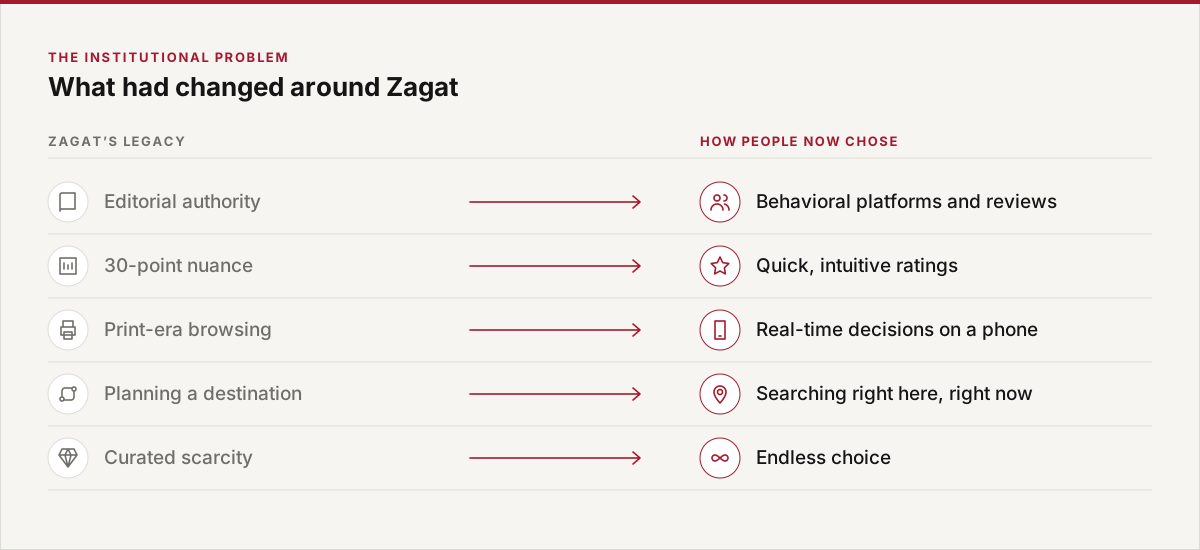
Zagat built its authority in print: curated, editorial and famously nuanced, with 30-point scores. By the time Google chose to reinvest, the way people chose a restaurant had moved to phones, to real-time decisions and to endless choice. The question was how to carry Zagat’s authority into that world.
Aligning the team first
I joined at the project’s earliest stage, charged with aligning stakeholders around a core strategy. I synthesized existing research on local search, delivered a set of product recommendations, and ran a Google Ventures–style design sprint with product and engineering. I then led a UX designer and a visual designer through to the final design.
The insight: choosing a restaurant is harder than it should be
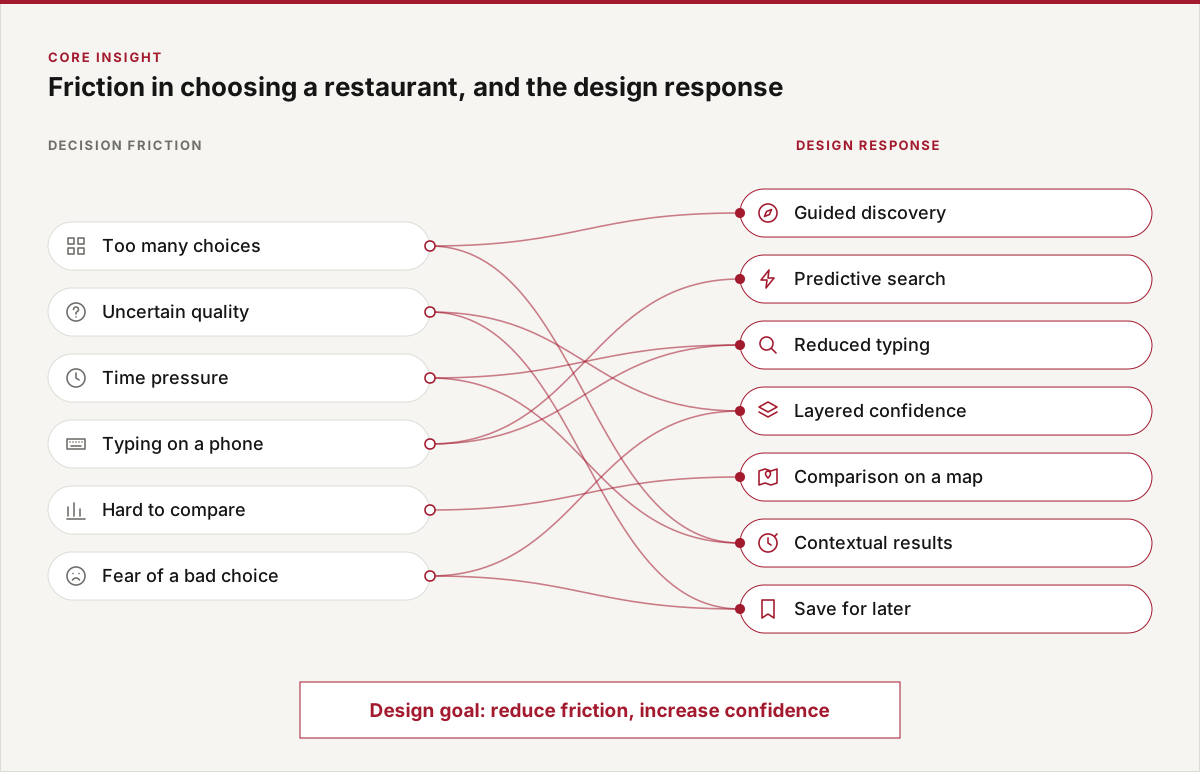
Too many options, uncertainty about quality, the moment you’re in, and the friction of typing on a phone all make a simple decision feel effortful. That set a simple goal for every design decision: reduce friction and increase confidence.
Design for frequency of use
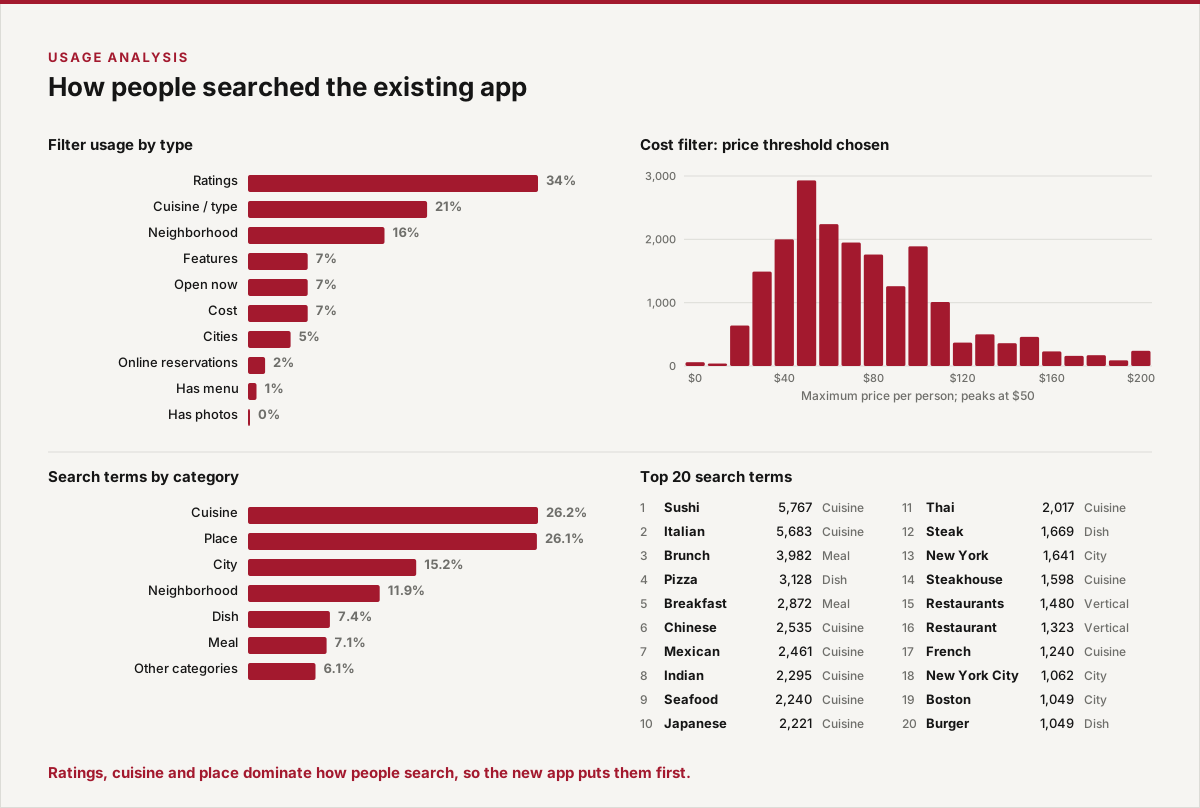
I began by studying usage logs for the existing app’s search and filter features. The new interface gives each feature prominence in proportion to how often people actually use it.
A war on typing
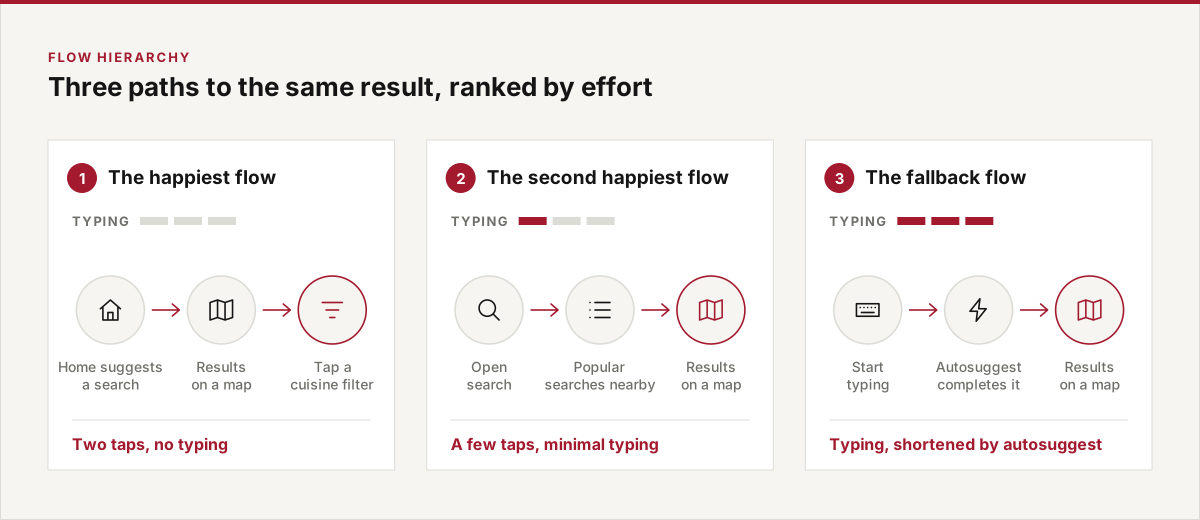
Research showed that typing is a major pain point in mobile search. So rather than one search, we designed three paths to the same result, ranked by effort, and made the easiest one the default.
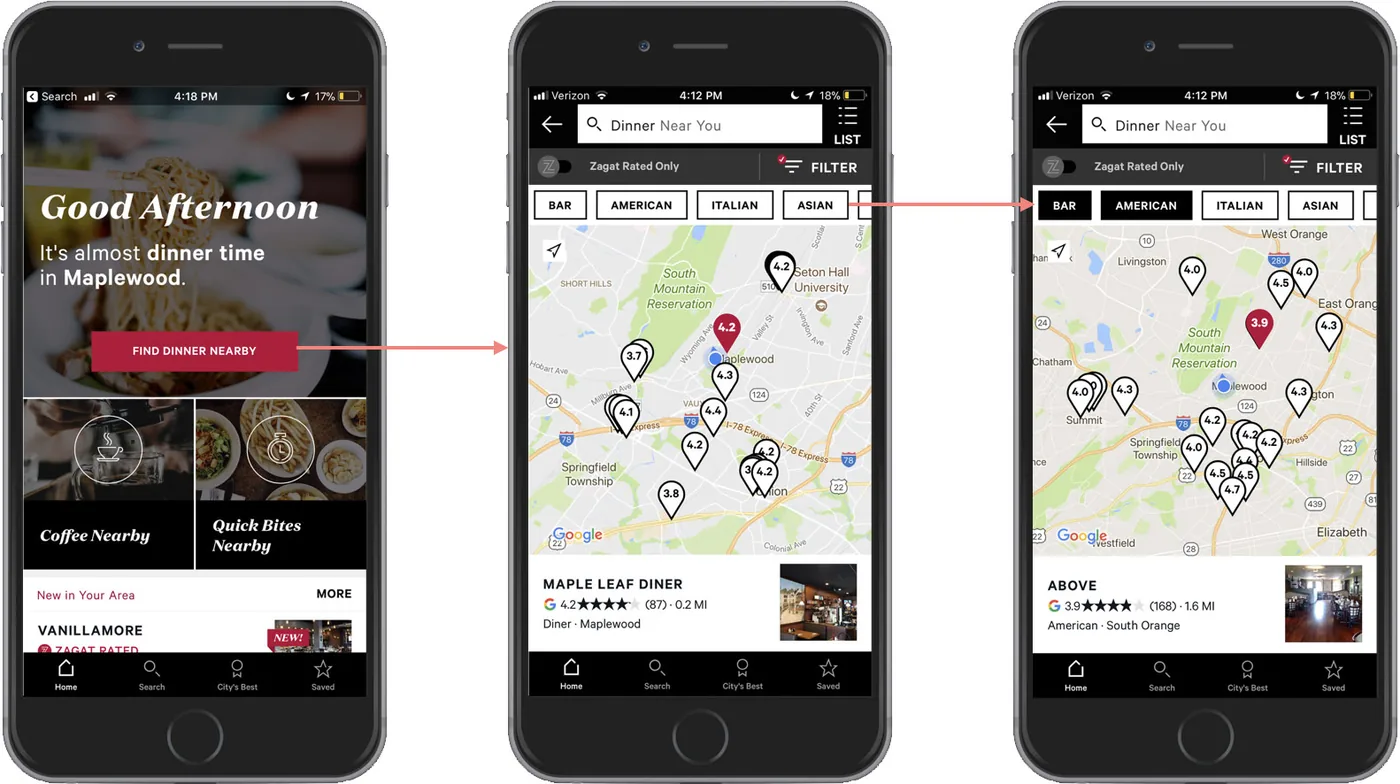
The happiest flow: no typing at all
The home screen suggests frequent searches based on time of day and location. One tap runs the search and shows results on a map, with the most-used cuisine filters as buttons above it. The most common searches and filters are two taps away.
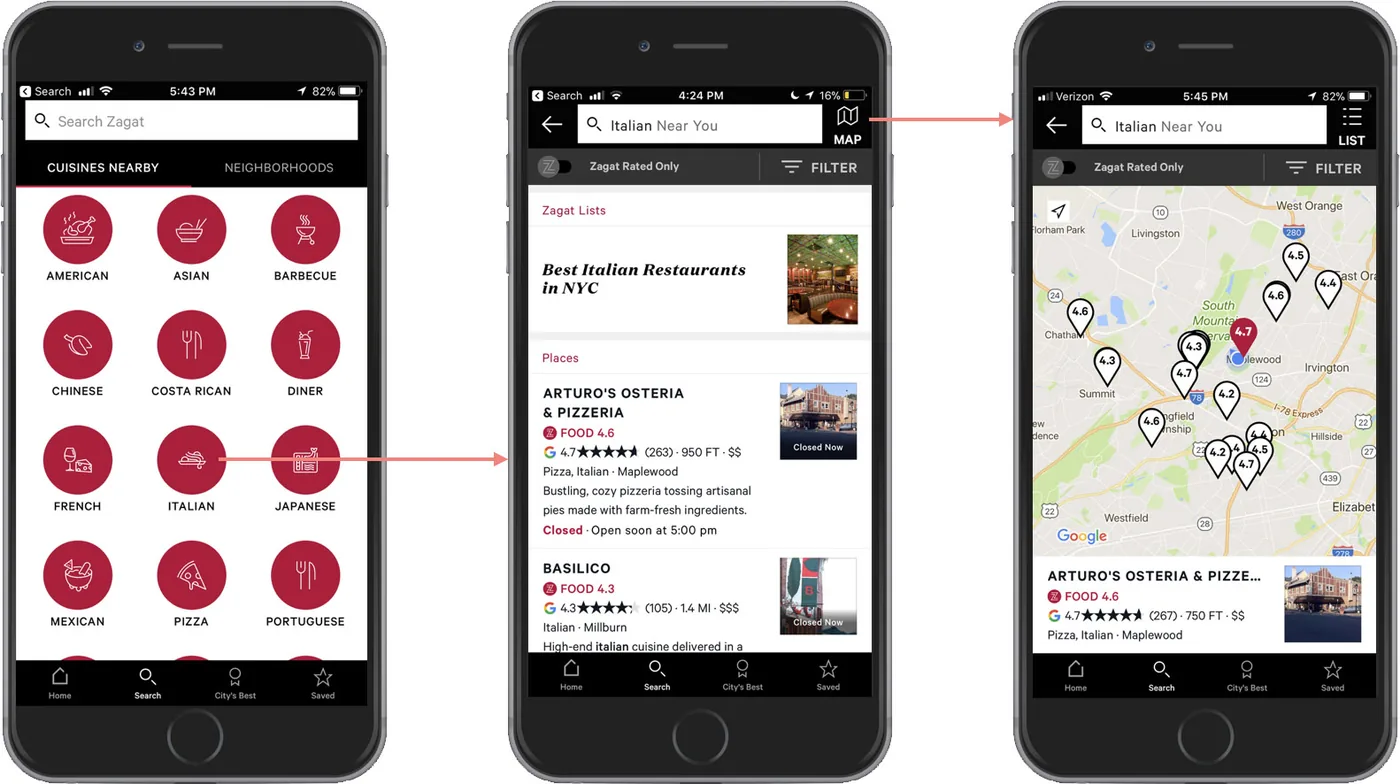
The second happiest flow
Some users preferred to start from the search screen. There, the most frequent searches are arranged by popularity for the user’s current location.
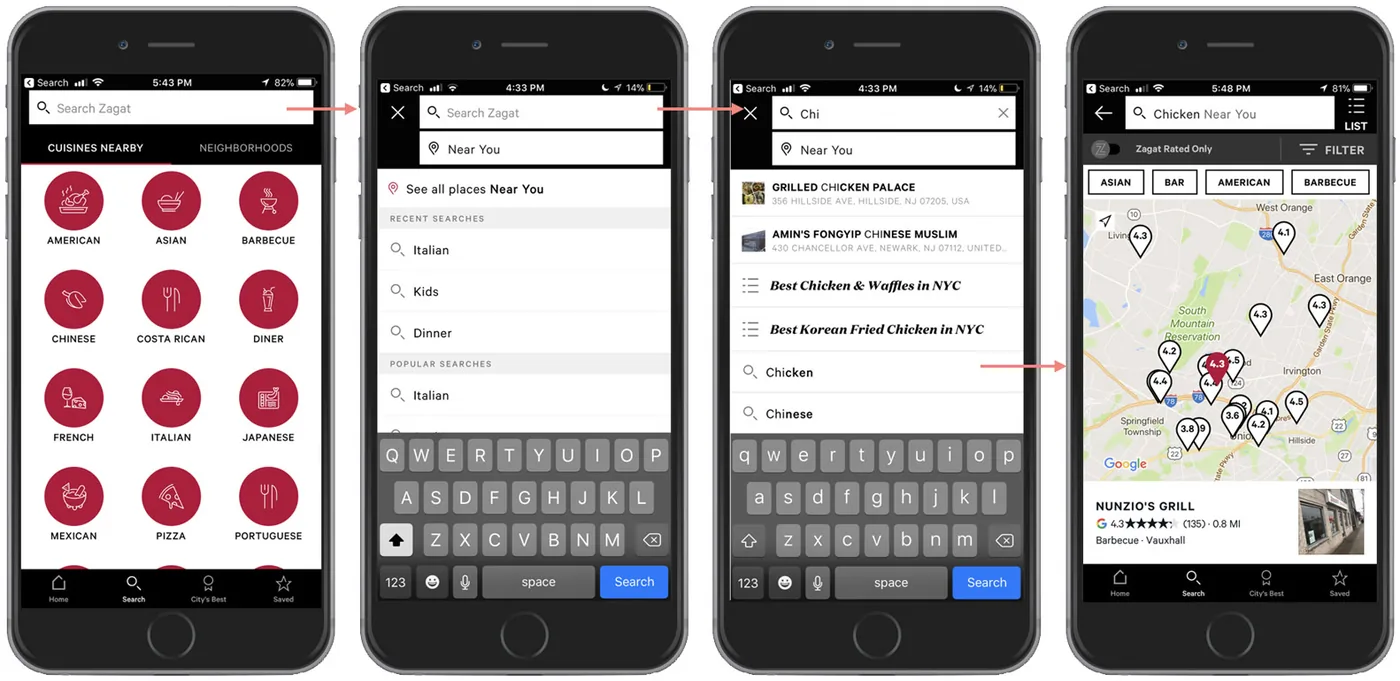
The fallback flow
For users who insist on typing, a set of autosuggest menus helps them avoid typing a full search.
Keeping Zagat’s point of view
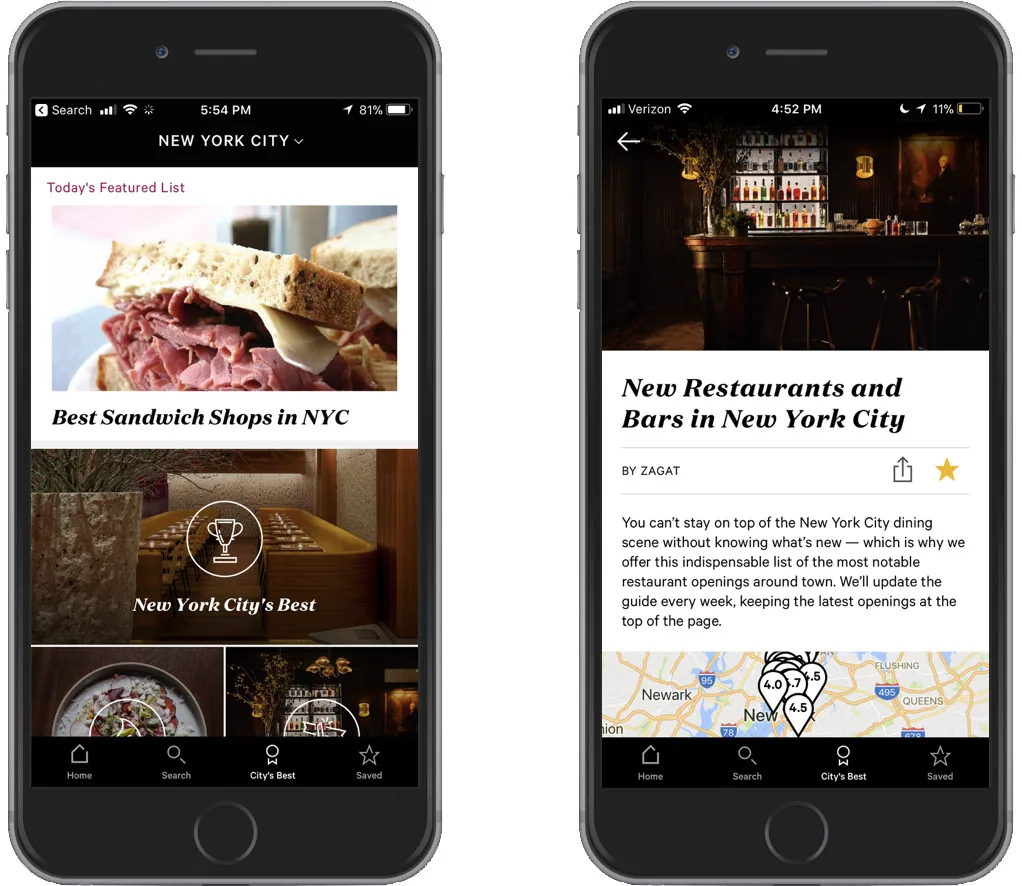
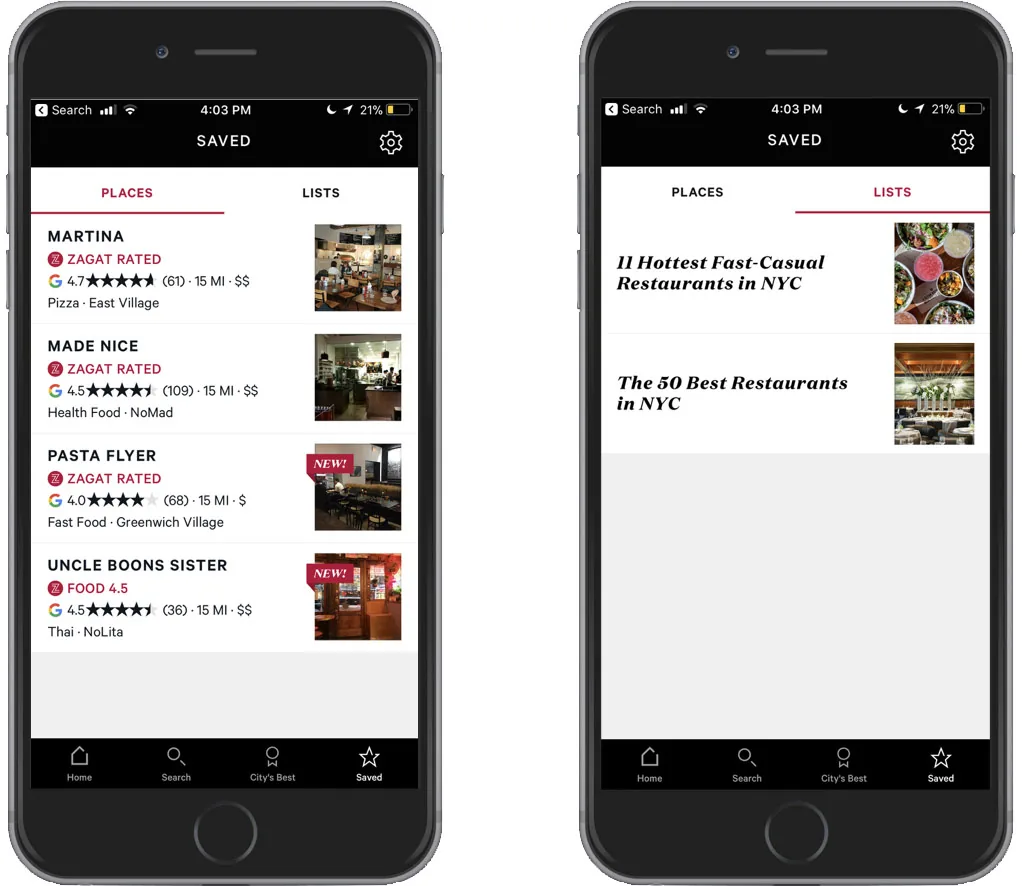
Zagat’s lists are a much-loved part of the brand, its curation and editorial voice, so they became a main tab rather than a buried feature. A core group of users wanted personalization and tended to browse and bookmark, so Saved lets them keep both places and lists to come back to.
Confidence, built in layers
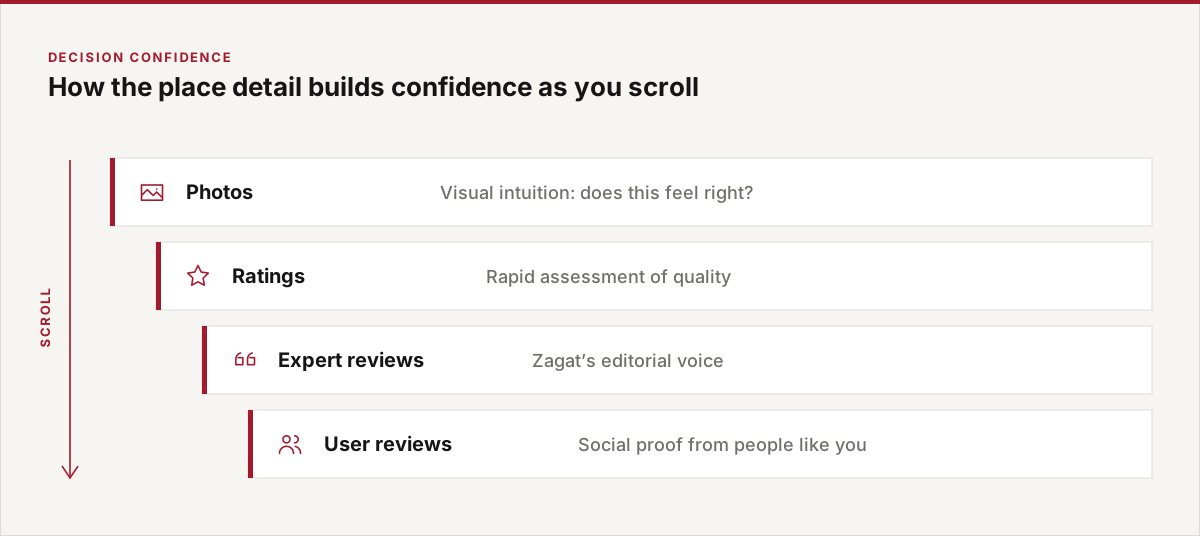
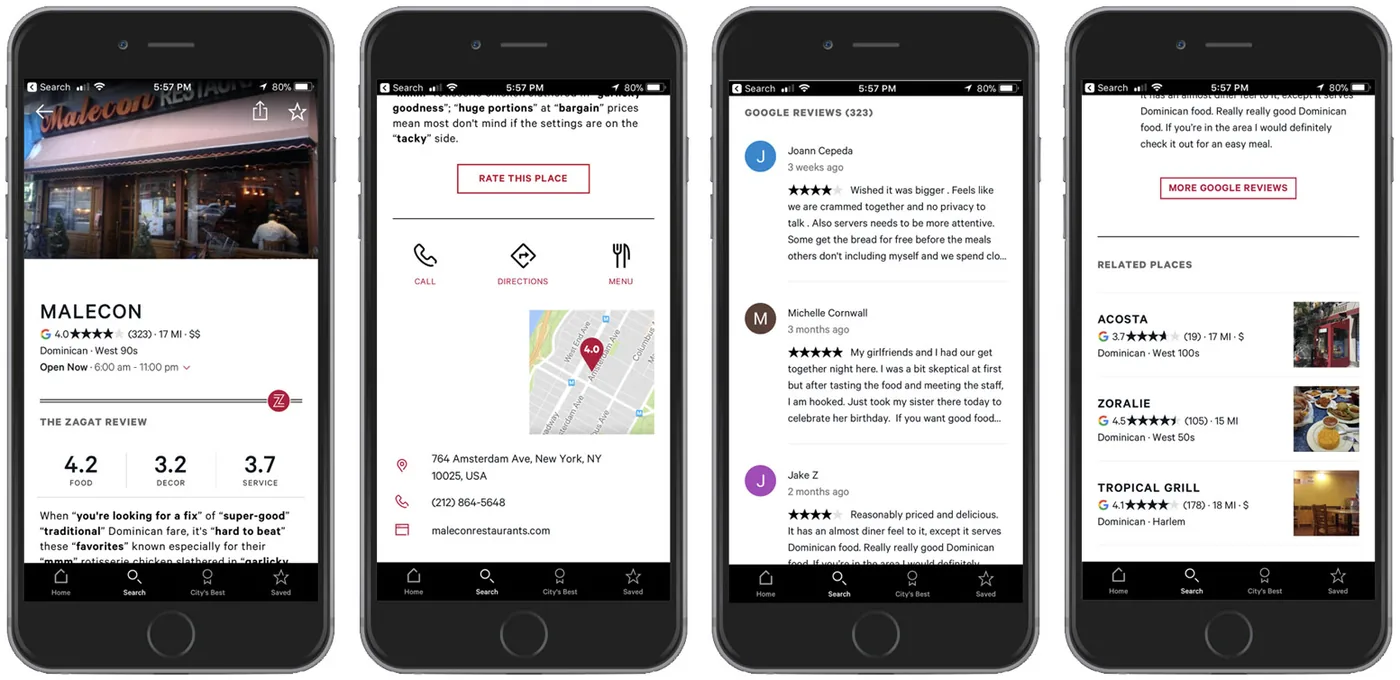
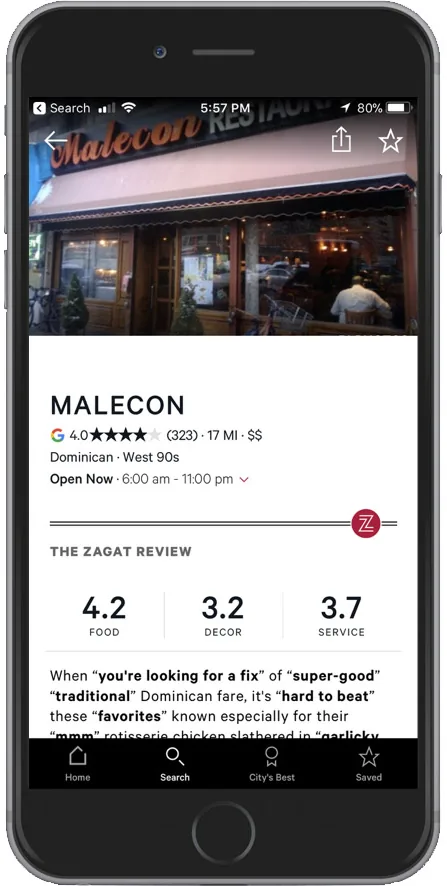
The place detail page is designed to build confidence in a choice by alternating kinds of information as you scroll: photos, ratings, expert reviews and user reviews.
What it shows
The work was less about redesigning an app than translating an iconic editorial system into a form that fits how people decide today: fewer steps, less typing, and enough of the right evidence to choose with confidence.