Bloomberg: Streamlining Enterprise Collaboration
How do you simplify tools that thousands of finance professionals rely on, inside one of the most constrained interfaces in software?
- Organization
- Bloomberg L.P.
- Role
- Lead, Collaboration UX Team
- Responsibilities led
- Design team leadershipUX prioritization and scoping with product ownersFormative researchCross-functional ideation workshopsInteraction designUsability testing
Overview
Over 25 years the Bloomberg Terminal evolved from an information service into a collaboration environment. The change happened one feature at a time, and the result was an inconsistent, bloated experience.
I took on the mission of leading a team of UX designers to streamline collaboration across nine of the Terminal’s flagship applications.
Leading design in an engineering culture
My role was to work with product owners to prioritize and scope UX work, to build appreciation for design among product and engineering teams, to bring a business-minded approach to my designers, and to manage the delivery of the team’s work.
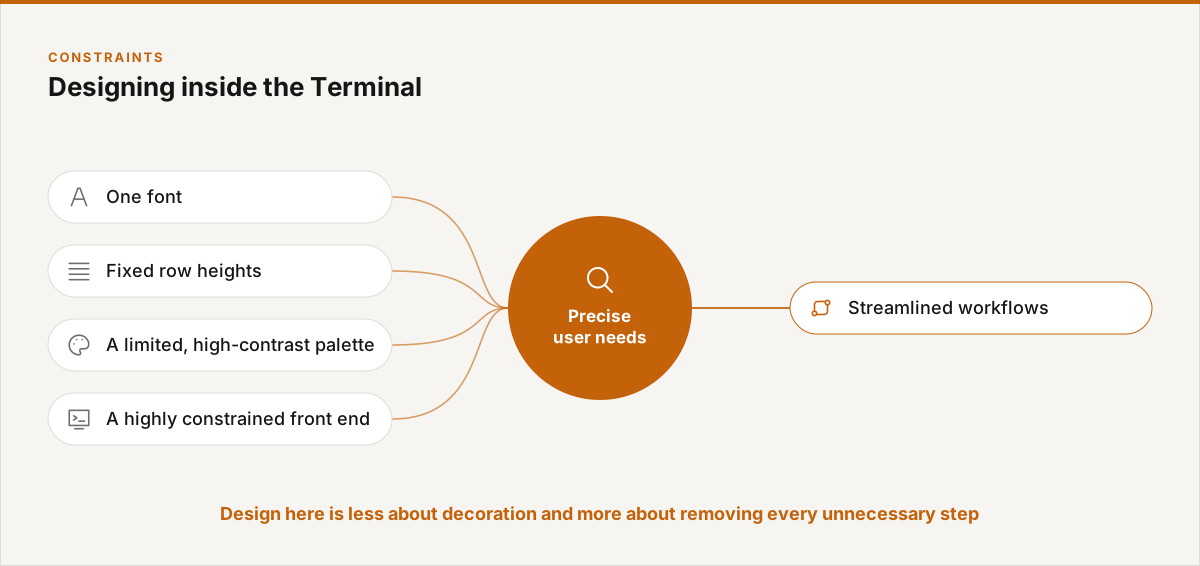
Designing inside the Terminal
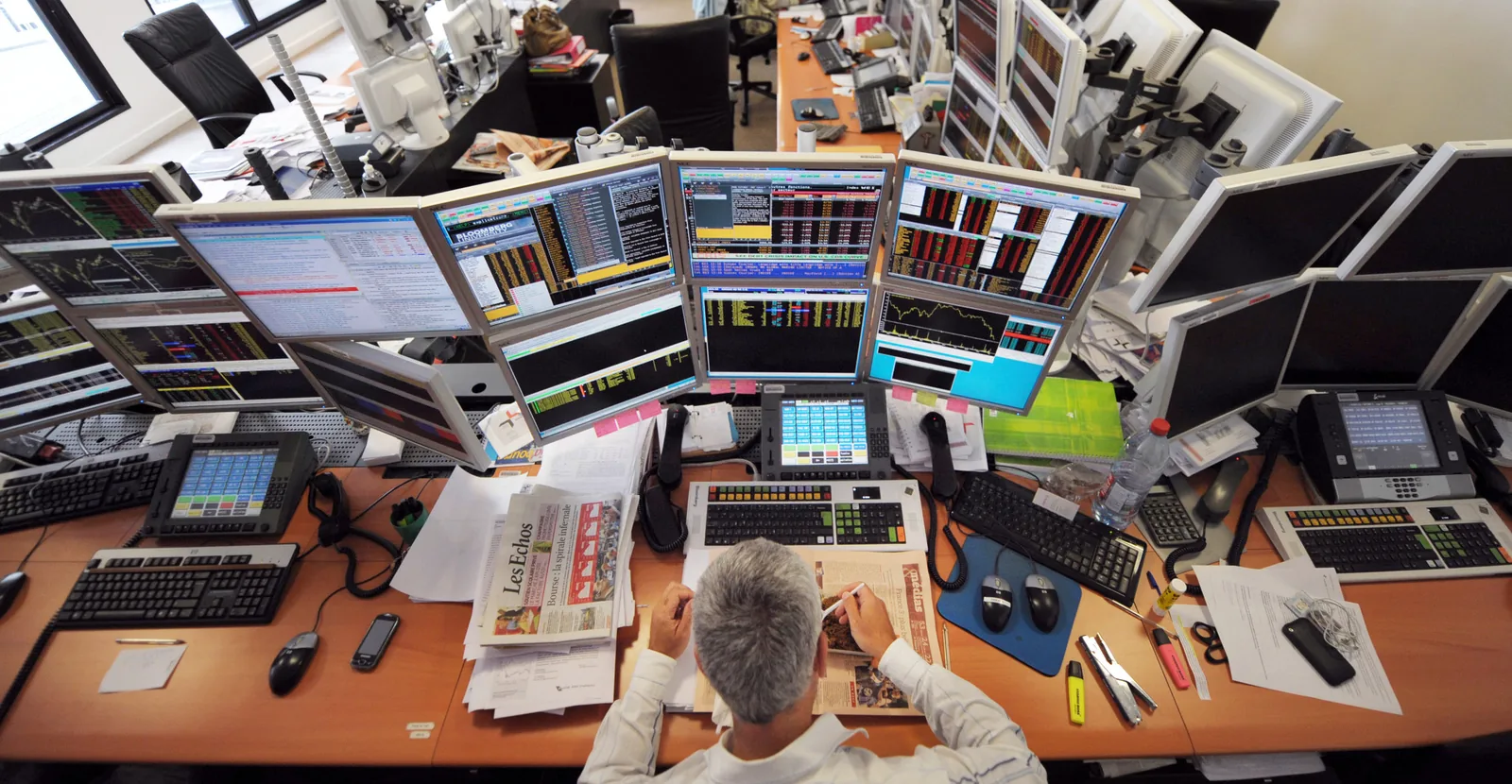
Bloomberg had historically not been design-driven, and the Terminal’s front end is extremely constrained: one font, fixed row heights, and a limited, high-contrast palette.
In that environment, design is an exercise in streamlining workflows based on a precise understanding of what users need.
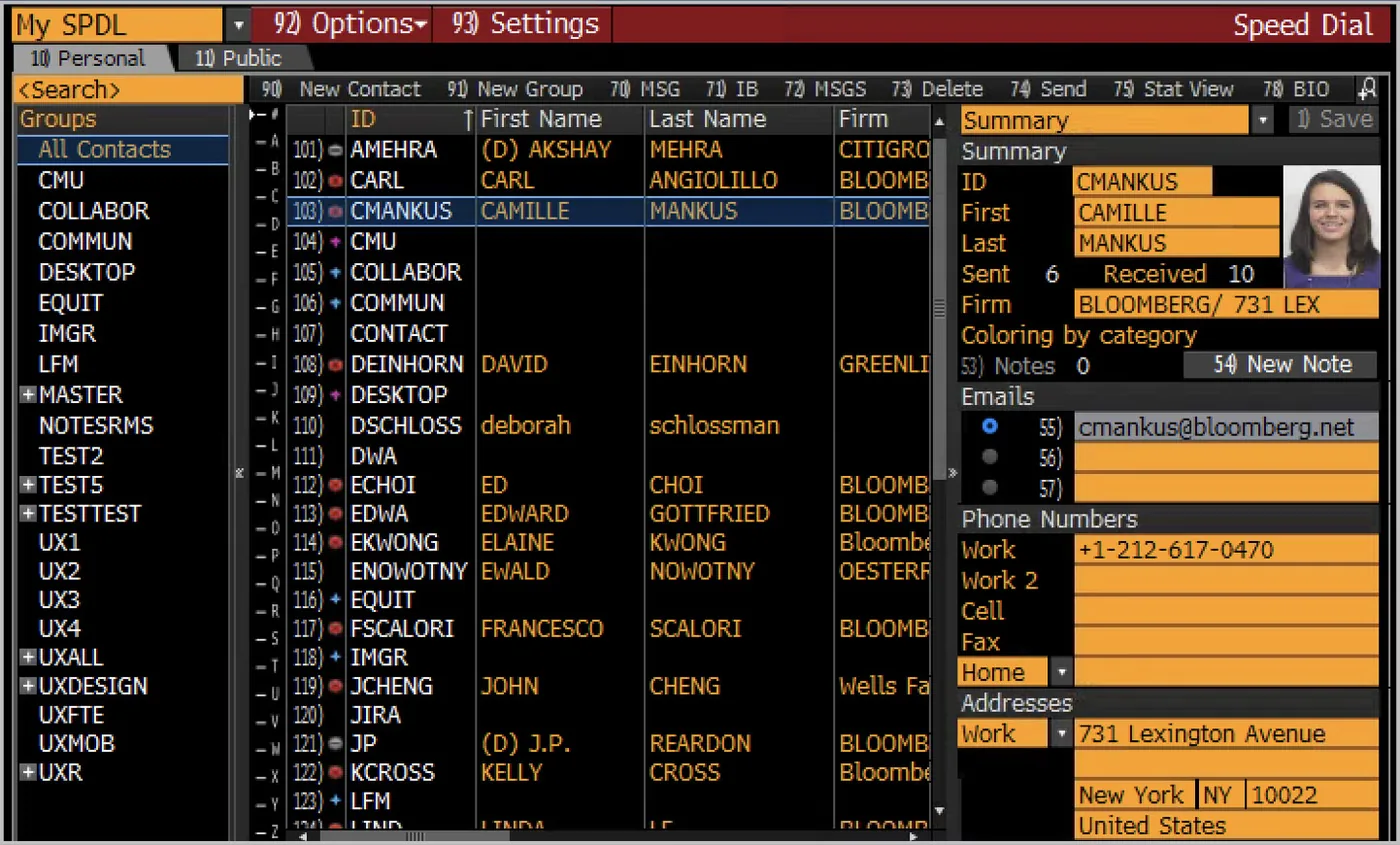
Case study: redesigning SPDL
In the Terminal’s early days, a group of engineers built a small application for managing contacts. Usage took off within months, and users began asking for more, especially a way to create groups of contacts and share them with teams. SPDL became one of the most-used functions on the system, and engineering moved on.
Over time, the interface and workflows that had worked so well at the start had grown, increment by increment, into something unusable. We set three goals: make contacts simple again; give users the powerful features they had been hacking the groups feature to get; and create a UI that could scale.
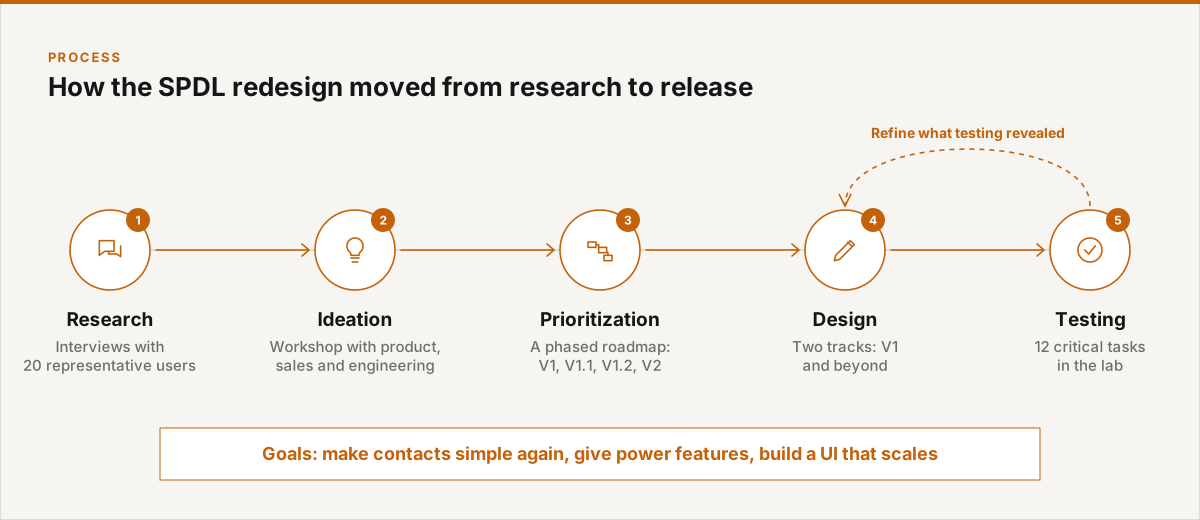
From research to release
The redesign followed a deliberate sequence, with testing feeding back into design before release.
Research, ideation and prioritization
We stepped back from the legacy application and talked with 20 users representing the key user types, to relearn the fundamentals of their business needs and workflows.
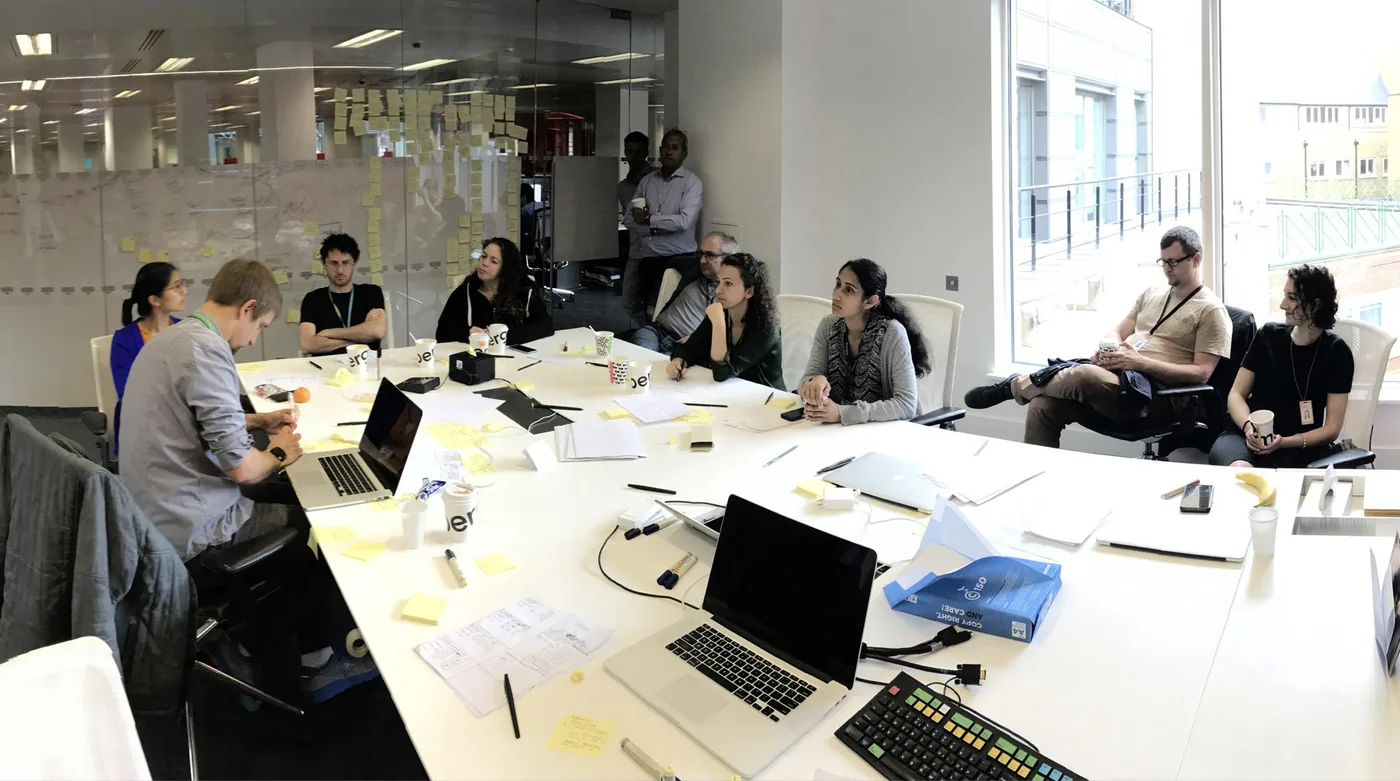
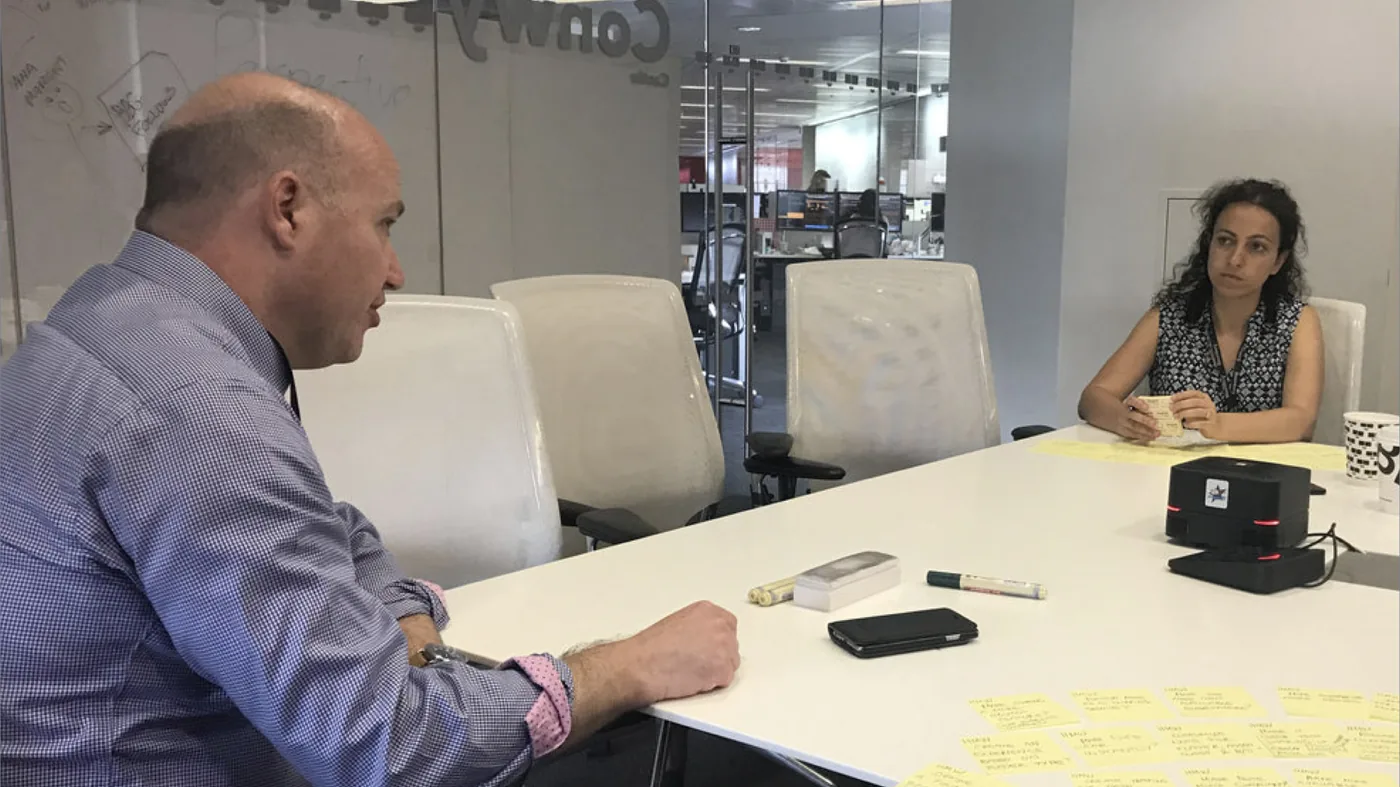
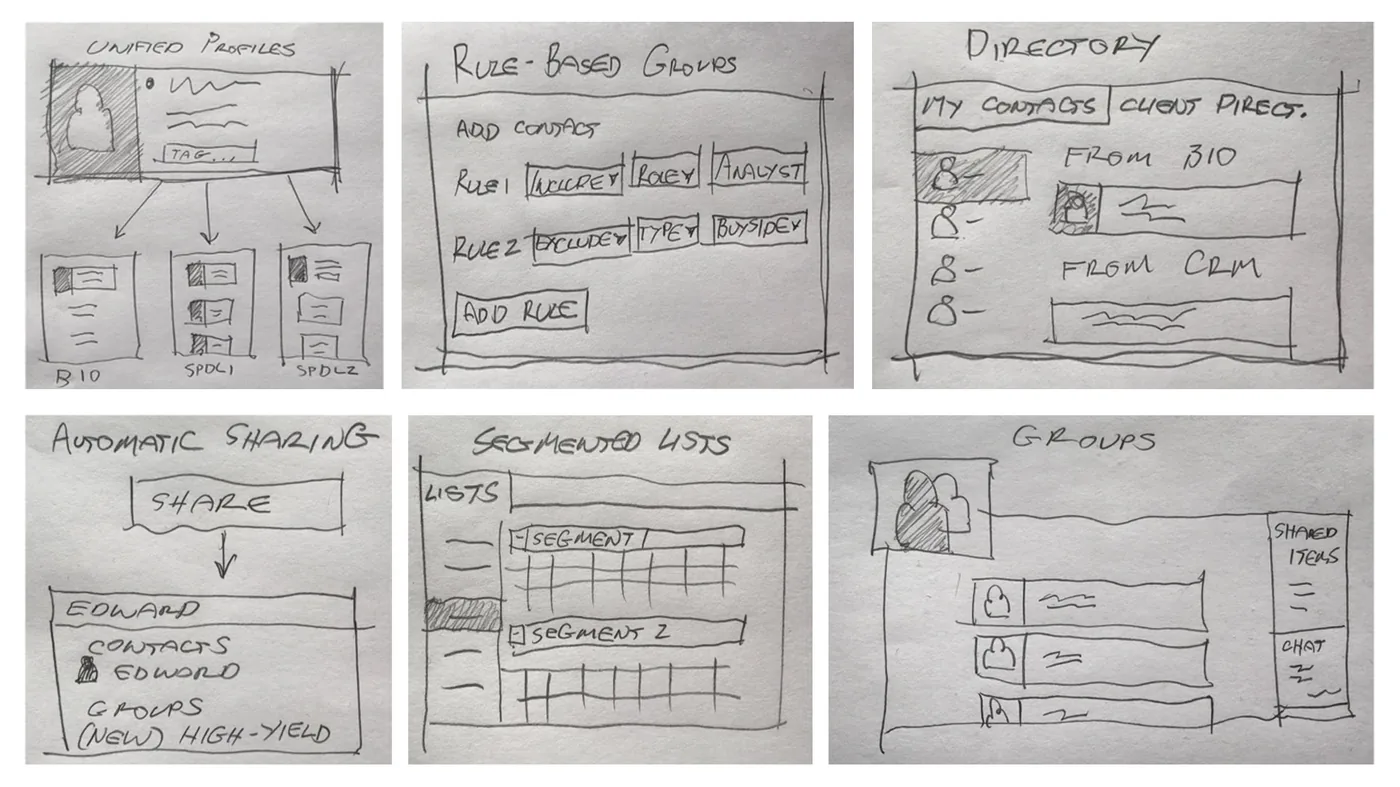
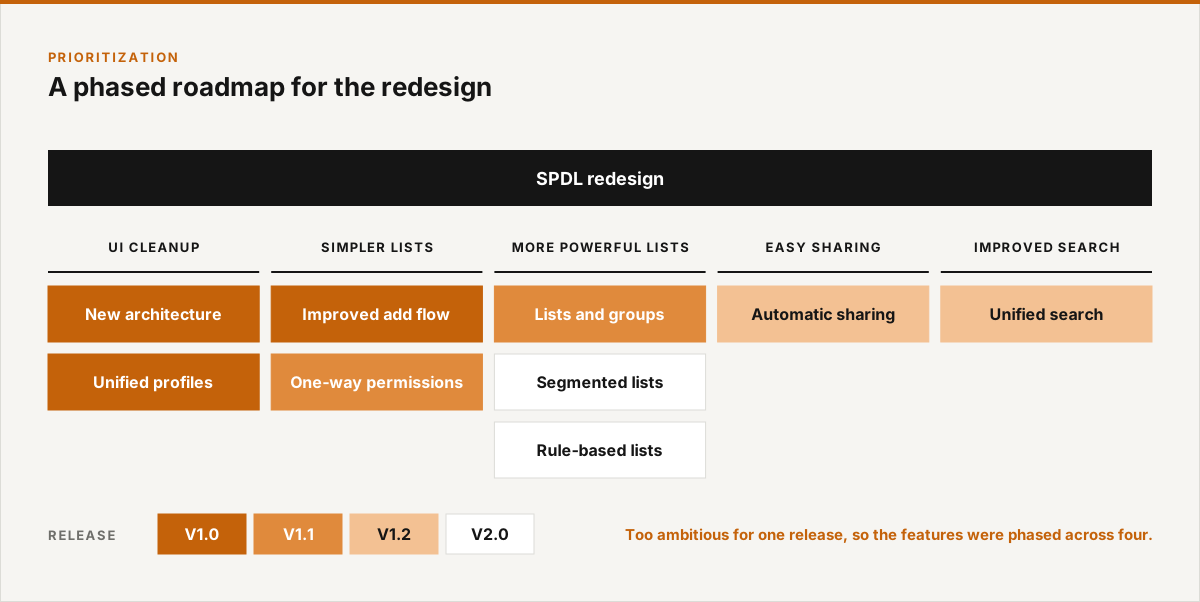
With that understanding, I ran a workshop with engineers, designers and product managers to brainstorm features fitted to client needs. The ideas were too ambitious for a single release, so I worked with product and engineering counterparts on a phased roadmap to focus the design effort.
Designing around specific needs
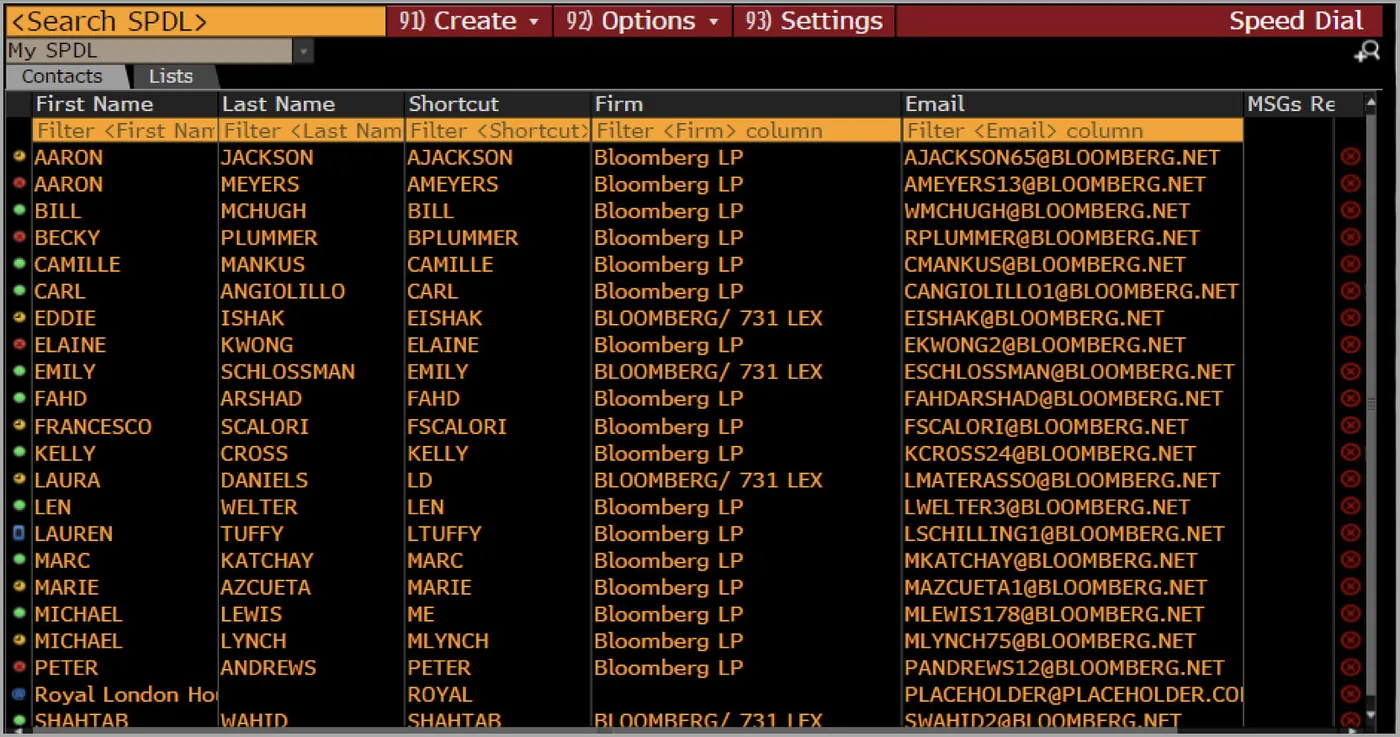
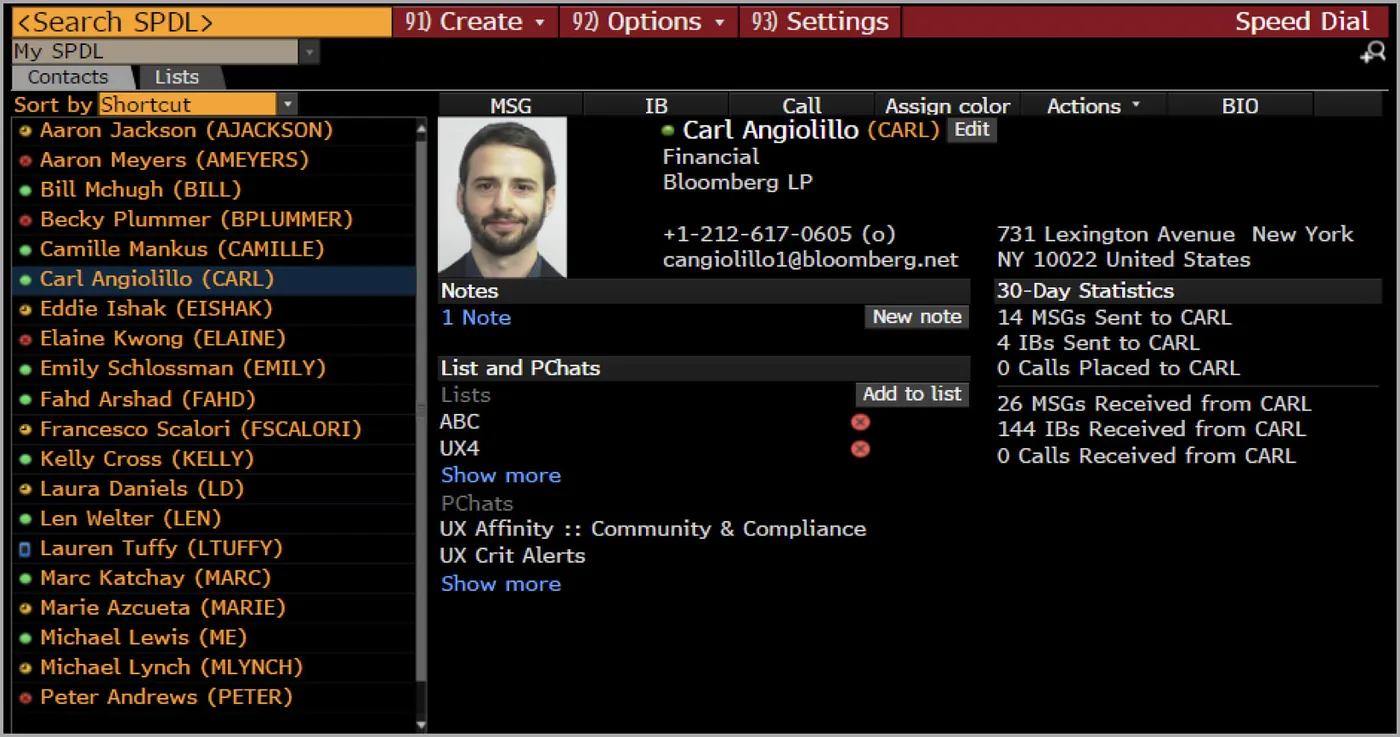
The first release focused on a few key views, each driven by a specific user need. For the contacts view (“I need to find colleagues quickly and see whether they’re online”), we tested a range of interfaces. Given the need for speed and our users’ fluency with Excel, a simple data grid was the clear preference.
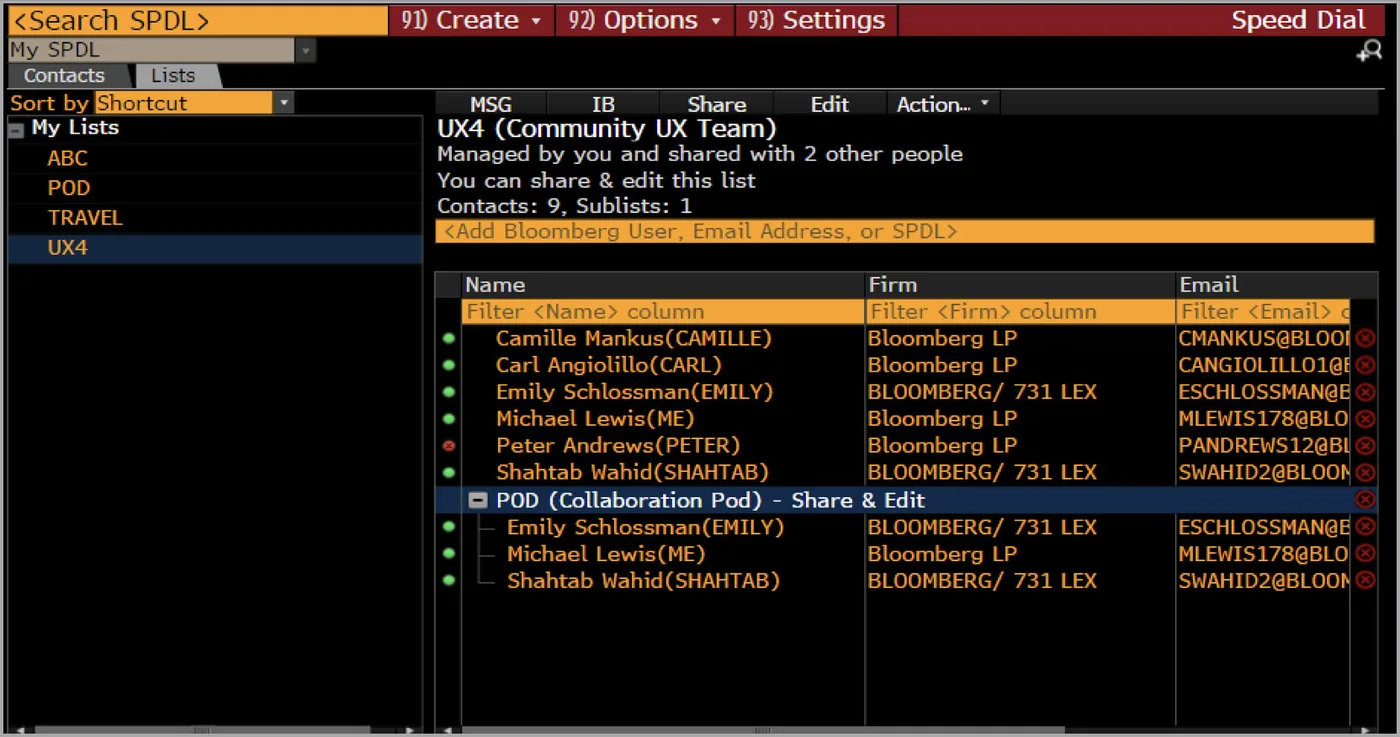
The list view answers which mailing lists a user can access, where each list came from, what’s in it and what they can do with it. The contact detail view gives the context of a relationship before reaching out.
Testing what success rates hide
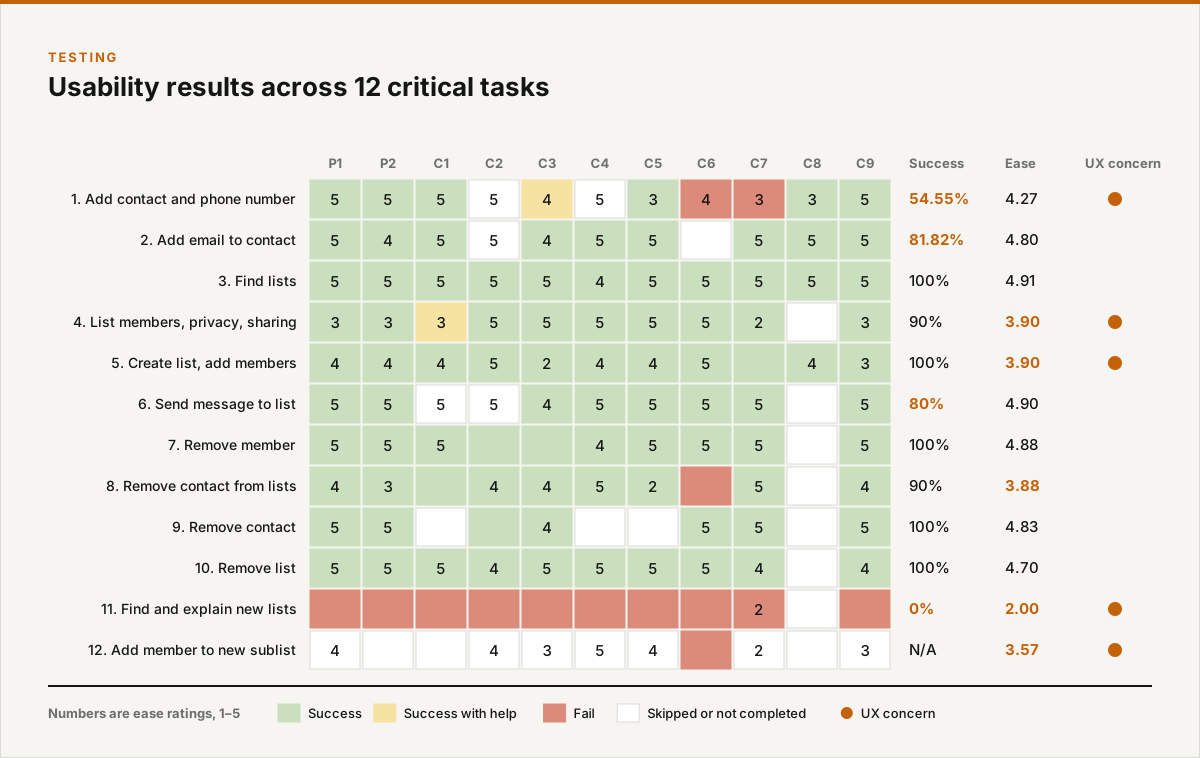
We identified 12 critical tasks and ran lab-based usability testing. Some tasks had high success rates but still revealed real confusion: users got there eventually, without understanding how.
Refining the design
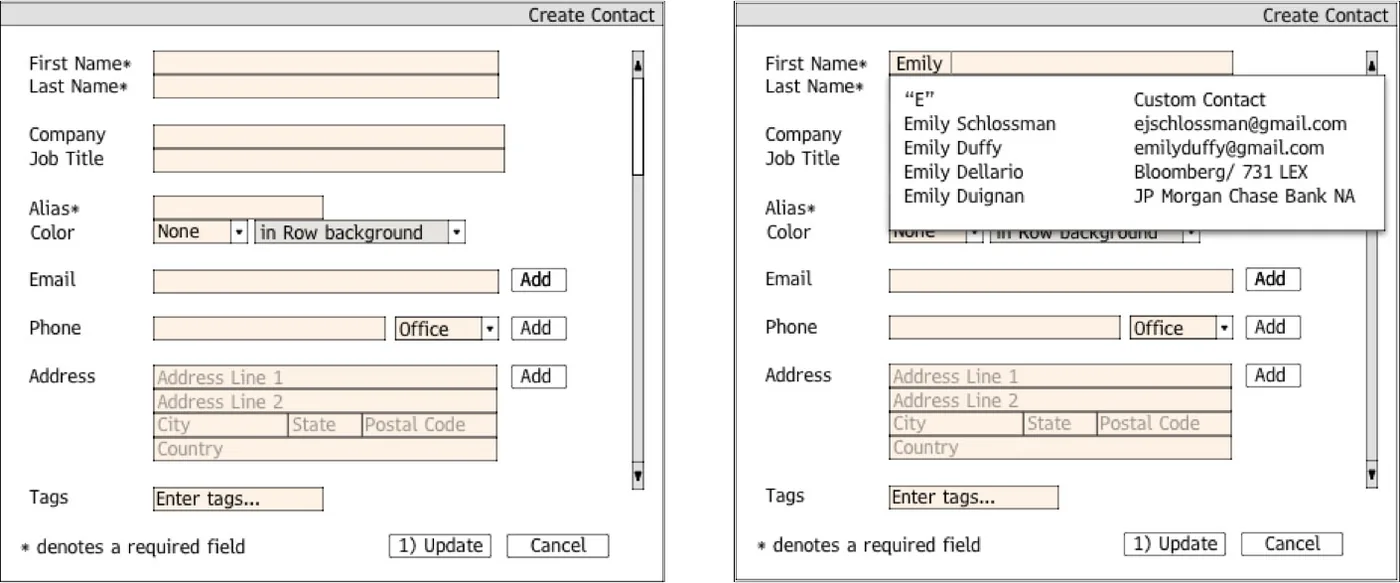
Testing led us to refine several key workflows, including creating a new contact. The tested design had separate first and last name fields, but autosuggest worked on only one of them, so users who missed the suggestion were left typing details the system already knew.
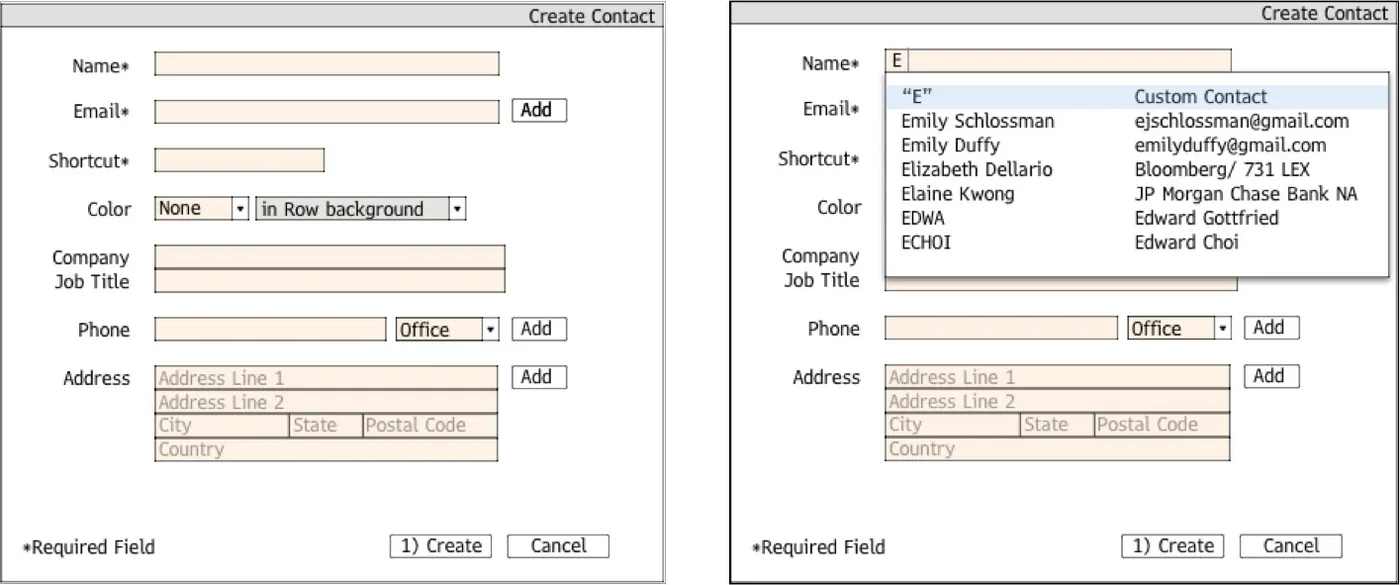
The refined design uses a single name field. It is slightly less precise for entering brand-new contacts, but far more reliable for selecting existing ones, which is what most users do. The tradeoff was worth it.